
Your Nepali Date,
Your Way.
A desktop widget that shows the Nepali (Bikram Sambat) date, specially designed to directly view above your taskbar.
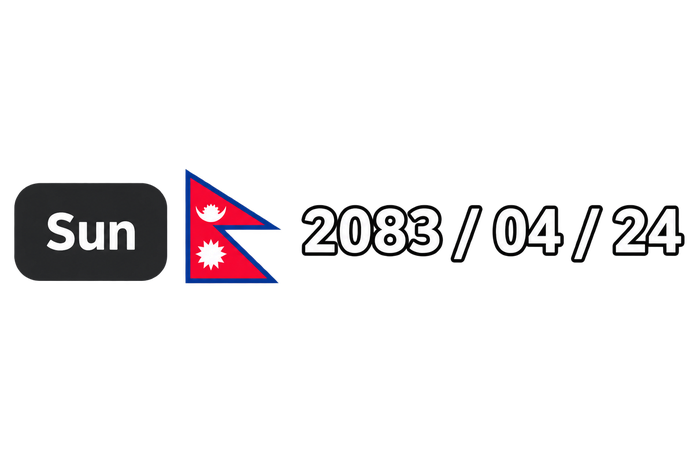
Every detail, considered.
The widget does one job — showing your date — and does it so quietly you'll forget it's software at all.
Theme auto-adapt
Detects Windows Light or Dark mode and shifts its colors instantly — no restart, no flicker.
Auto-updates
A background thread checks GitHub Releases quietly and tells you when something new lands.
Customizable layout
Toggle the day-of-week badge beside the flag straight from the context menu.
Zero-distraction design
Frameless, borderless, truly transparent — rendered with per-pixel alpha blending.
Smart auto-hide
Steps aside the moment you go fullscreen for a game or a film, then returns on its own.
DPI aware
Crisp text and glyphs on 4K displays — nothing soft, nothing blurred.
Professional installer
A standard Setup.exe with Start Menu shortcuts and a clean uninstall. No admin rights needed.
System tray access
Right-click any time for quick settings — themes, startup, and update checks.
A full calendar,
right where you clicked.
Click the widget for a native Bikram Sambat calendar — every cell paired with its Gregorian date, every festival a click away.
- Scroll or use ‹ › to move between months
- Arrow keys navigate, Home jumps to today
- Saturdays and holidays highlighted in red
- Festival days carry a small colored dot
Native Win32.
Nothing borrowed.
No Electron, no browser runtime — just the Win32 API and GDI+, talking to your OS directly.
Stays on top
A quiet 250ms timer re-asserts HWND_TOPMOST, so Windows never buries it behind other windows.
Survives taskbar previews
Intercepts WM_SHOWWINDOW to veto SW_PARENTCLOSING, so hovering an open app can't hide it by accident.
Works fully offline
The complete 1975–2100 Bikram Sambat mapping is compiled into the binary — no lookup, no connection required.
Syncs with Windows live
Listens for WM_SETTINGCHANGE and repaints the instant you flip Light or Dark mode.
It checks the clock.
It doesn't watch it.
Once a second, the widget asks Windows for today's date — a near-zero-cost call. Only when the day actually changes does it run the Bikram Sambat conversion and repaint.
The single red tick is the one moment of real work — midnight, when the date rolls over.
Pick your way in.
Command line, package manager, or a plain installer — whichever fits your setup.
irm https://raw.githubusercontent.com/aayushlbef/Nepali-Date-Widget/main/install.ps1 | iexPrefer a manual download? Grab NepaliDateWidget_Setup.exe from the latest release. Unsigned builds may trigger a SmartScreen notice — More Info → Run Anyway gets you through.
Four clicks to settle in.
Unlock & position
Right-click the widget to unlock it, then drag it anywhere above your taskbar.
Lock it in
Right-click again and choose Lock Position — it becomes click-through and seamless.
Open the calendar
Left-click any time to bring up the full interactive Bikram Sambat calendar.
Make it yours
Right-click for startup, day-of-week, theme, and update settings.